OperoPOS vs Square: Which POS System Is Better for Small Businesses in 2026?
Compare OperoPOS vs Square for pricing, online ordering, delivery, team roles, reports, multi-branch management, and small business POS needs in 2026.
By OperoPOS Team · 2026-05-14
OperoPOS Comparison Guide |
OperoPOS vs Square: Which POS System Is Better for Small Businesses in 2026?
Square is one of the best known POS systems in the world. It is a strong option for many businesses, especially in markets where Square payments and hardware are fully supported. But for small restaurants, cafes, delivery businesses, and growing stores that want a simple free POS without monthly software fees, OperoPOS can be a better fit.
Quick answer Choose Square if you want a mature payment ecosystem with Square hardware, card processing, and a wide app marketplace. Choose OperoPOS if you want a free cloud POS with built-in online ordering, multi-branch management, cashier sessions, delivery tools, reports, and team roles without paying monthly software fees. |
OperoPOS vs Square: Quick Comparison
Category | OperoPOS | Square POS |
Best for | Restaurants, cafes, retail stores, delivery, and multi-branch small businesses that want a free all-in-one POS. | Small businesses that want Square payments, hardware, and a mature commerce ecosystem. |
Pricing | Free. No monthly software fee for core features. | Free plan available. Paid plans and add-ons apply for advanced restaurant features, devices, KDS, kiosk, and more. |
Online ordering | Built-in branded customer ordering website for pickup, delivery, and dine-in. | Available through Square Online and Square restaurant tools. |
Multi-branch | Built for branch-specific products, teams, settings, and reporting. | Supports multiple locations. Paid plan costs can apply per location. |
Reports | Real-time sales reports, session summaries, revenue breakdowns, and exports. | Strong analytics and reporting inside the Square ecosystem. |
Delivery | Delivery zones, drivers, and order management built into the platform. | Delivery and pickup supported, with options depending on plan and setup. |
Romania angle | Useful for businesses that want a browser-based POS and online ordering system without being tied to Square payments. | Availability, payment processing, and hardware support can vary by country. |
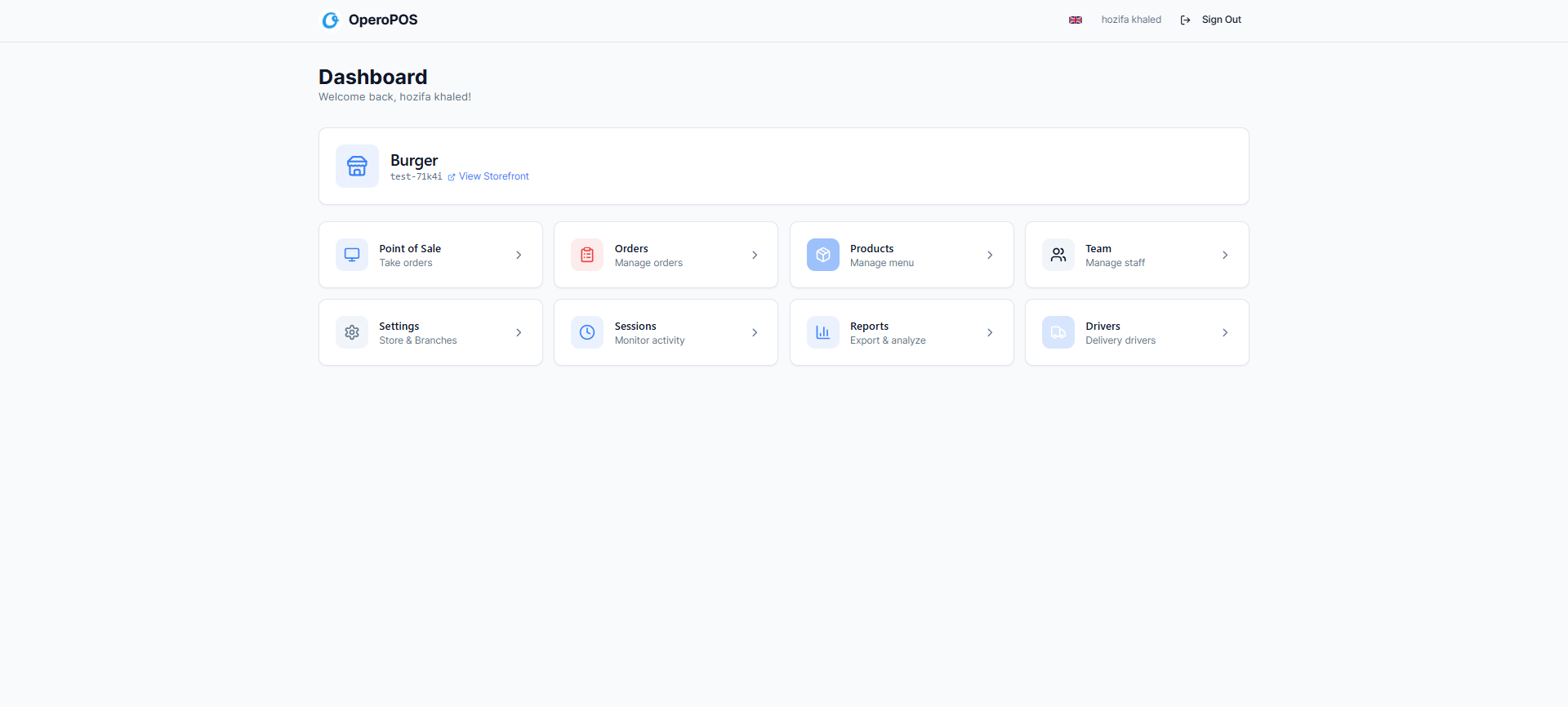
OperoPOS dashboard: POS, orders, products, team, sessions, reports, drivers, and settings in one place.
What Is OperoPOS?
OperoPOS is a modern cloud-based point-of-sale system built for restaurants, cafes, and retail stores. It combines the day-to-day cashier screen with online ordering, products, team roles, delivery management, cashier sessions, and real-time reporting.
The biggest difference is simple: OperoPOS is positioned as a free POS system with no credit card required. For early-stage businesses, new cafes, small restaurants, and stores that want to reduce software costs, that can be a major advantage.
What Is Square POS?
Square POS is a well-known point-of-sale and payments ecosystem. It is widely used by small businesses for in-person payments, online selling, hardware, inventory, reporting, and restaurant workflows. Square is especially strong when a business wants POS software connected tightly to Square payment processing and Square hardware.
For many businesses, Square is a safe and mature choice. The main question is whether you need the wider Square ecosystem, or whether you mainly need a simple, free, cloud-based POS to manage orders, products, online ordering, branches, teams, and reports.
Pricing: OperoPOS Is Simpler for Cost-Conscious Businesses
Pricing is one of the clearest differences between the two systems. Square offers a free starting point, but advanced restaurant features, extra devices, KDS, kiosk workflows, and location-based paid plans can increase the total cost as a business grows.
OperoPOS is designed to make the starting decision easier. A small business can create an account, set up products, invite staff, open the POS, manage orders, and use reporting tools without committing to a monthly software subscription.
Want a free POS without monthly software fees? Start with OperoPOS, add your menu or products, and begin testing orders in minutes. |
Feature Comparison
Feature | Why it matters | OperoPOS | Square |
Fast POS screen | Cashiers need speed during rush hours. | Clean cashier interface for taking orders quickly. | Strong POS interface with industry modes. |
Product catalog | Menus and products need prices, VAT, categories, variants, and extras. | Products, categories, VAT, stock tracking, variants, and modifiers. | Item library, categories, modifiers, and inventory tools. |
Online ordering | Customers expect to order from their phone. | Branded ordering website included. | Square Online and restaurant ordering tools available. |
Team roles | Owners need different access for cashiers, kitchen, managers, and viewers. | Owner, admin, manager, cashier, kitchen, and viewer roles. | Team management available, with advanced labor tools depending on plan. |
Cashier sessions | Owners need to track shifts, cash float, and reconciliation. | Built-in session tracking and session summaries. | End-of-day and reporting tools available in restaurant plans. |
Delivery management | Delivery businesses need drivers and zones. | Built-in driver and delivery zone tools. | Pickup and delivery supported through Square setup. |
Reports | Owners need visibility on revenue, orders, sessions, and sources. | Real-time reports and exportable summaries. | Strong analytics inside Square Dashboard. |
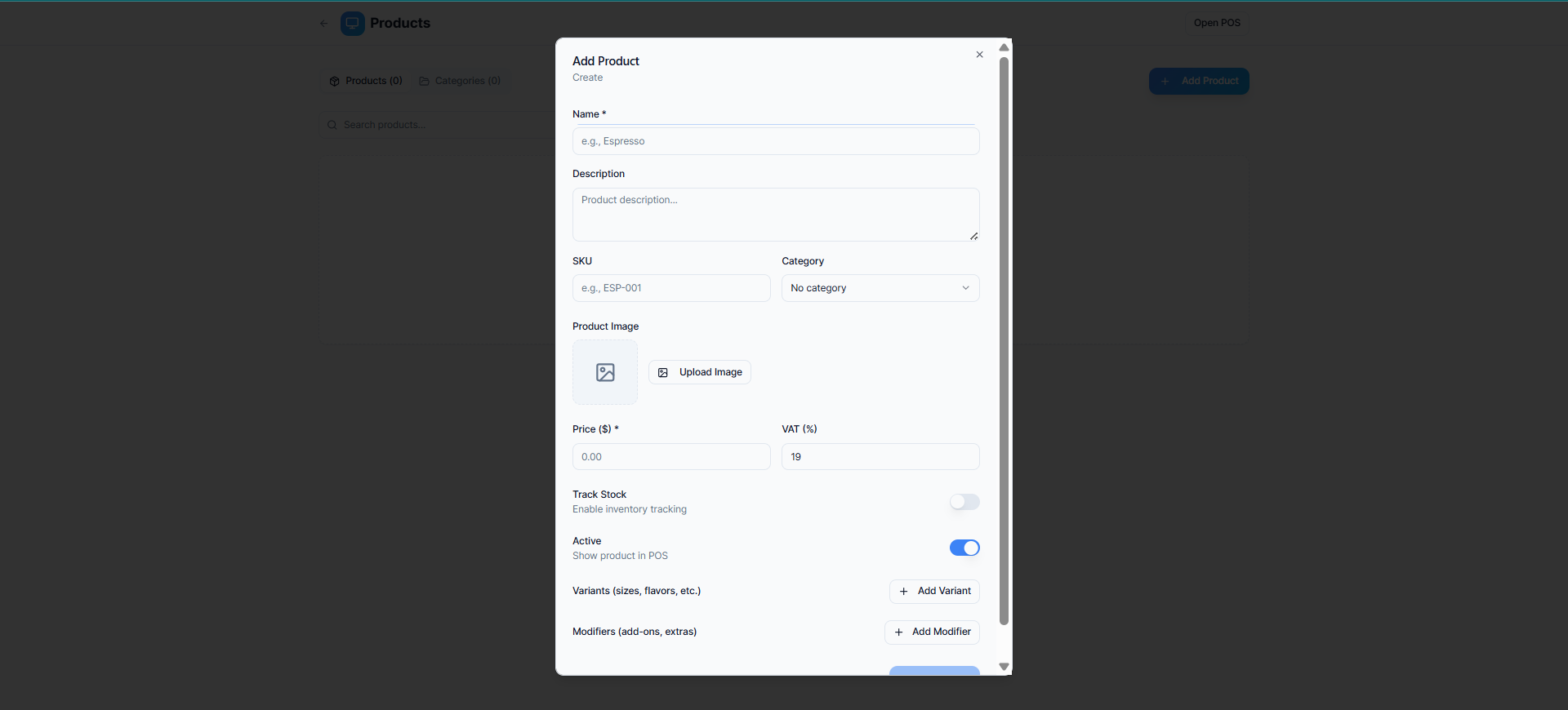
OperoPOS product setup: add price, VAT, image, stock tracking, variants, modifiers, and category details.
Product and Menu Management
For cafes and restaurants, a POS system is only useful if menu setup is easy. OperoPOS lets you create products, add descriptions, upload images, set VAT, track stock, activate items in the POS, and add variants or modifiers. That makes it useful for coffee sizes, milk options, add-ons, toppings, and retail items.
Square also has strong item and menu management, especially if you already use its payment tools. The difference is that OperoPOS focuses on keeping the setup lightweight and accessible for small teams that do not want to spend time configuring a complex system.
Online Ordering and Delivery
Online ordering is now a core POS feature, especially for cafes, quick service restaurants, and local food businesses. OperoPOS includes a branded customer website for delivery, pickup, and dine-in orders. It also includes delivery driver management and delivery zones, so owners can keep delivery operations connected to the same system.
Square has a strong online ordering ecosystem too. If your business already uses Square payments, Square Online can be attractive. But if you want a free POS with built-in ordering and delivery management in one place, OperoPOS is designed around that use case.
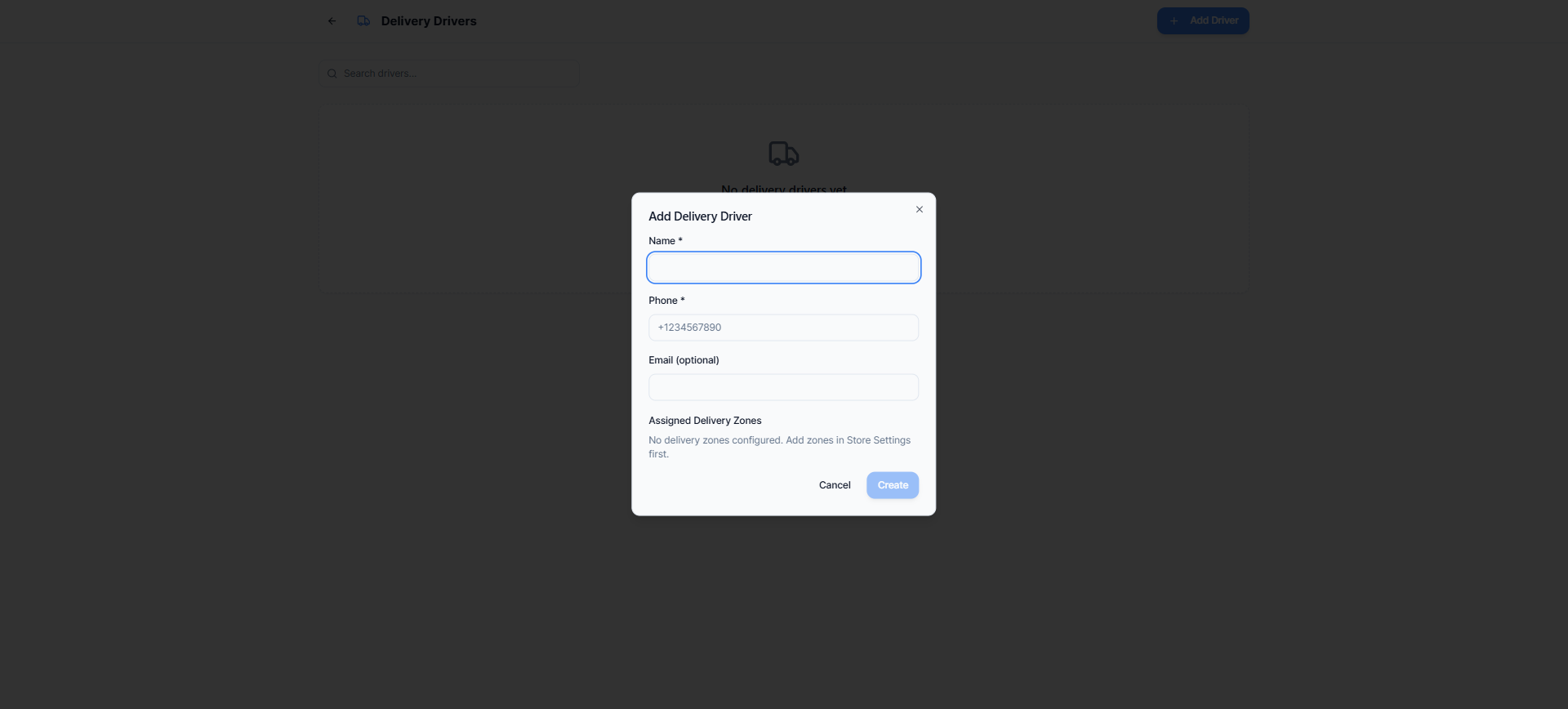
OperoPOS delivery driver management for businesses that handle local delivery.
Team Roles and Permissions
Small businesses often start with one owner and one cashier, then slowly add managers, kitchen users, delivery drivers, or branch-level staff. OperoPOS supports multiple roles, including owner, admin, manager, cashier, kitchen, and viewer access. This helps owners control what each person can see and do.
Square also offers team and permission tools, but some advanced workforce features may depend on the exact Square product and plan. For a business that mainly needs simple staff access inside a free POS system, OperoPOS keeps the structure clear.
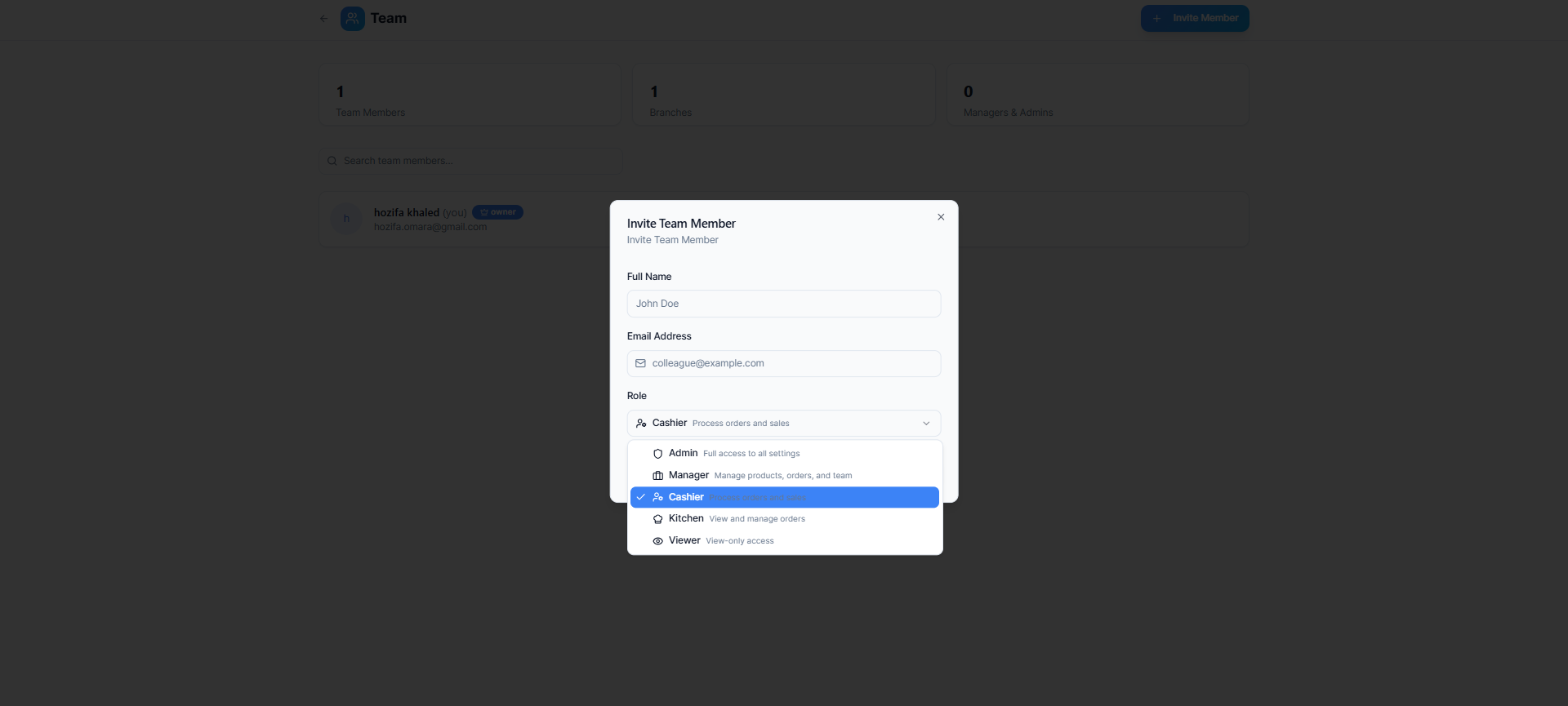
OperoPOS team roles: invite staff and choose the right access level for each person.
Reporting and Cashier Sessions
Reports are where owners understand what is happening. OperoPOS gives business owners a real-time view of total orders, revenue, sessions, average session duration, order status breakdowns, source breakdowns, and exportable summaries. Cashier session tracking is also useful for shift control, starting cash float, and end-of-day reconciliation.
Square reporting is mature and powerful, especially for businesses already using the Square ecosystem. OperoPOS is a strong fit when a business wants the essential reports in a simple dashboard without adding another paid layer.
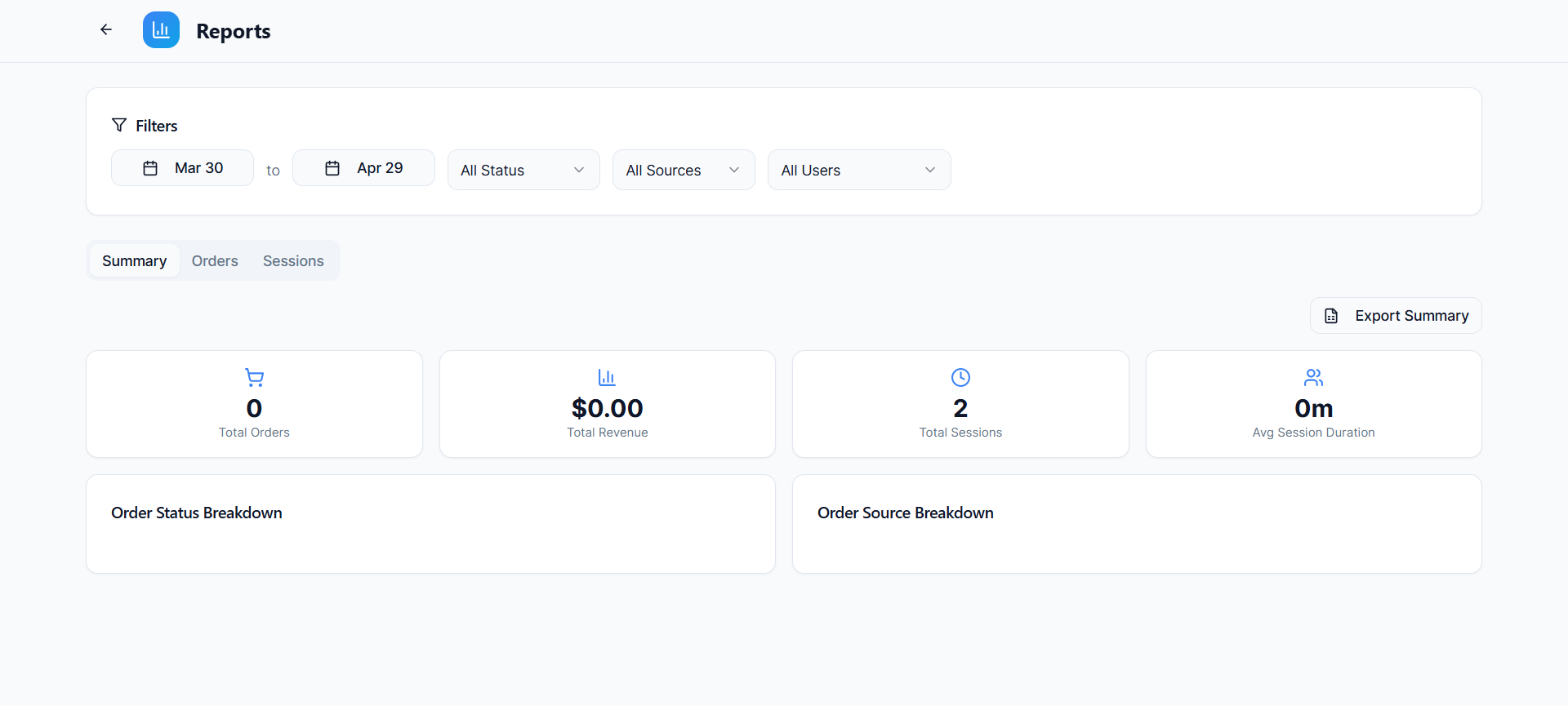
OperoPOS reports: sales, sessions, order status, order sources, and exportable summaries.
Which Is Better for Romania?
For Romanian small businesses, the best POS choice depends on availability, payment needs, language needs, and how much the business wants to rely on a specific payments provider. Square is a strong global brand, but Square payment and hardware availability can vary by country.
OperoPOS can be positioned as a practical option for restaurants, cafes, and stores in Romania that want a cloud-based POS, online ordering, delivery management, and multi-language support without starting with a monthly software cost.
Pros and Cons
OperoPOS pros | Square pros |
Free POS software | Mature global POS brand |
OperoPOS may not be best if... | Square may not be best if... |
You specifically need Square payment hardware, Square financial products, or a very large third-party app ecosystem. | You want a free POS with built-in ordering, delivery, reports, team roles, and branch tools without monthly software fees. |
Final Verdict: OperoPOS vs Square
Square is a strong choice for businesses that want a polished POS and payment ecosystem, especially in countries where Square payments and hardware are fully supported. It is a mature platform with strong brand trust, hardware, reporting, and integrations.
OperoPOS is the better fit for businesses that want a modern free POS system focused on the essentials: taking orders, managing products, running online ordering, tracking cashier sessions, managing delivery, controlling team roles, and viewing reports from one simple dashboard.
For small restaurants, cafes, delivery businesses, and growing retail stores that care about simplicity and software cost, OperoPOS is a strong Square alternative to consider in 2026.
Ready to compare it yourself? Create a free OperoPOS account, add your products, and test the POS workflow with your own business setup. |
FAQ: OperoPOS vs Square
Is OperoPOS a good Square alternative?
Yes. OperoPOS is a strong Square alternative for small businesses that want a free cloud POS with online ordering, delivery tools, team roles, cashier sessions, and reports.
Is OperoPOS free?
Yes. OperoPOS is positioned as a free POS system with no credit card required.
Is Square free?
Square offers free starting plans, but paid plans, processing fees, hardware, and add-ons can apply depending on the business setup.
Which POS is better for cafes?
Square is strong if you want payments and hardware in a supported country. OperoPOS is strong if you want a free POS with menu management, online ordering, delivery, team roles, and reports.
Can OperoPOS support multiple branches?
Yes. OperoPOS supports multi-branch management with branch-specific products, teams, and settings.
Can I use OperoPOS in Romania?
OperoPOS is cloud-based and suitable for businesses that want a browser-based POS and online ordering workflow. A Romania-specific page can help explain local use cases and setup in more detail.
Suggested internal links: Best POS System in Romania, Best POS for Coffee Shops, Best Free POS System for Restaurants, Free Online Ordering System, Multi-Branch POS System.
#Square alternative #Square POS alternative #best POS system for small business #free POS system #free restaurant POS #POS system for cafes #OperoPOS vs Square #multi-branch POS system #POS system Romania